Getting Started
What is cTrader?
cTrader brings charts, order entry and automated trading into one platform. Here is how it works, where a broker fits in and what changes if you are coming from MT4, NinjaTrader or TradingView.
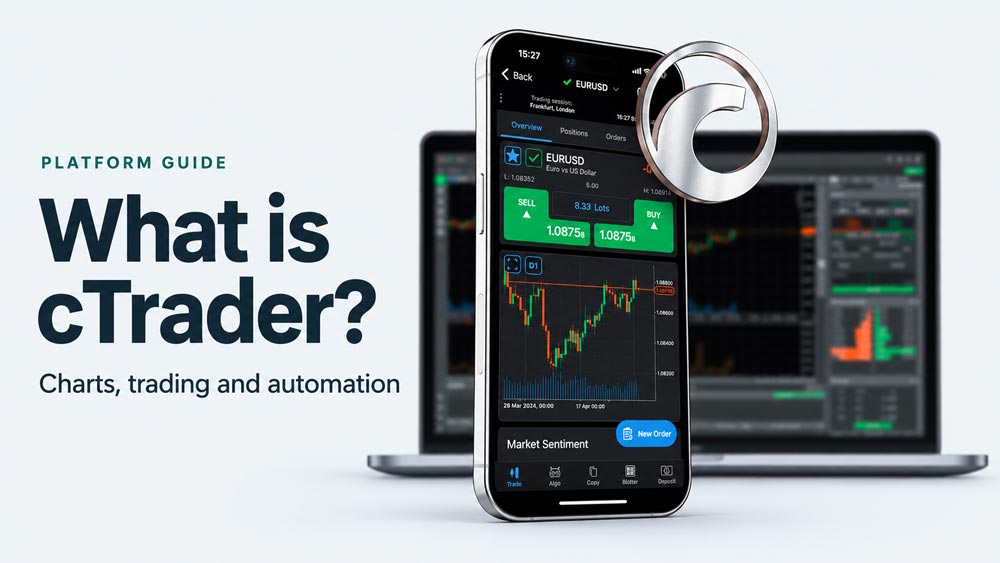
A trading platform developed by Spotware
cTrader is a forex and CFD trading platform developed by Spotware. You use it to follow prices, analyse charts, place orders and manage positions through a compatible broker. It also offers copy trading and tools for developing automated strategies.
The platform and the broker have different jobs. cTrader provides the software; your broker provides your trading account and determines the available instruments, spreads, commissions, leverage and account terms. Using the same platform does not mean two brokers offer the same service.
A cTrader ID is your sign-in for the cTrader ecosystem. Your demo or live trading accounts are linked to that identity, but each account has its own balance and positions. Practise with virtual funds on demo before considering live trading.
Charts, apps and automated trading
cTrader is available for Windows, Mac, web browsers, iOS and Android. The desktop apps are the starting point for developing custom tools and backtesting. Web and Mobile let you view charts and manage trades without relying on your desktop workspace.
Automated strategies are called cBots. Developers can write them in C# or Python using cTrader Algo; custom indicators add analysis to charts. Desktop supports local cBot execution, while cloud instances can be managed across the apps. Cloud compatibility depends on what the bot needs to run. Read cBots and indicators explained for the distinction between analysis and order execution.
cTrader compared with MT4, NinjaTrader and TradingView
The most useful differences are the markets you want to trade, the tools you already use and how you plan to automate. This is a comparison of workflows, rather than a ranking of trading results.
| Platform | Main focus | Custom tools and automation |
|---|---|---|
| cTrader | Forex and CFDs through compatible brokers; desktop, web and mobile apps. | cBots and indicators in C# or Python. Desktop development and testing; local or compatible cloud cBot execution. |
| MetaTrader 4 (MT4) | Forex trading through brokers, with other instruments depending on the account. | Expert Advisors, indicators and scripts in MQL4. Desktop strategy development and testing. |
| NinjaTrader | A futures-focused platform and brokerage, with desktop, web and mobile access. | NinjaScript uses C# for custom indicators and strategies on its Windows desktop platform. |
| TradingView | Charting and analysis across many markets, with trading through supported broker connections. | Pine Script indicators and strategy simulations. Pine strategies do not directly automate orders through connected brokers. |
Broker availability, market data, subscriptions and trading costs need to be checked separately for each service. A chart subscription does not automatically include an account that can trade every instrument shown.
Moving from MetaTrader 4
If you use MT4, the basic tasks will be familiar: choose a symbol, analyse its chart, enter an order and manage the position. The workspace and account controls differ, so repeat those tasks on a cTrader demo before using a live account.
Your MT4 Expert Advisors and indicators will need conversion or replacement. MQL4 code does not run as a cBot. Porting requires adapting order handling, position sizing and indicator calculations, then testing the new implementation. An MT4 backtest does not validate a converted cTrader strategy.
Moving from NinjaTrader
NinjaTrader is particularly relevant if your workflow centres on exchange-traded futures, order flow and its SuperDOM. A cTrader broker’s CFD on an index is a different product from an exchange-traded futures contract on that index; contract terms, pricing and costs can differ.
Both NinjaScript and cTrader development can use C#, but their APIs and event models differ. Existing NinjaTrader strategies need adaptation and fresh testing. Confirm that the instruments and data your strategy requires are available from the intended cTrader broker.
Moving from TradingView
TradingView is useful for chart analysis across markets, sharing ideas and writing Pine Script studies. It also supports manual trading through connected brokers. Its strategy tester uses simulated orders; a Pine strategy is not itself an automated trading bot connected to your brokerage account. Alert-based external automation needs a separate execution arrangement.
cTrader places the broker account and cBot execution within its trading environment. Pine Script cannot be installed as a cBot: the trading rules must be rebuilt for cTrader and checked against the target broker’s prices, symbols and account settings.
Try the platform on demo
If cTrader supports the markets and tools you need, start by choosing a compatible broker and using a demo account. Our download guide explains the route for Windows, Mac, web and mobile. Once signed in, follow Getting started with cTrader to practise managing a position.
Forex, CFDs and futures involve risk. A platform’s features, automated tools or historical test results do not guarantee a profit.
Sources and further reading
Platform details checked on 17 October 2026. External references open in a new tab.
- cTrader: cTrader Help Centre
- cTrader: cBot capabilities
- cTrader: Python development
- MetaTrader 4: MT4 platform
- MetaTrader 4: MQL4
- NinjaTrader: NinjaTrader platform and development
- TradingView: TradingView features
- TradingView: Pine strategy automation limits
Features and availability can change.